
A few days ago, I built a business strategy game. It asks you to describe your service, then walks you through five rounds of strategic options: market entry, growth, competition, innovation, long-term planning. You make your choices, and at the end, it generates a recap of your journey and strategic insights.
Cool, right?
Sure. But here's the part that actually matters: I built the whole thing in two hours. Using AI. It took me more time to write this article than to build the actual game.
I barely wrote a single line by hand, I used a coding copilot. The result? An AI-powered experience that helps people think through complex business decisions, and more importantly, a template for building infinitely customizable strategy tools.
1. The Stack I Used
This wasn't built with some elaborate backend infrastructure. The goal was simple: build something fast, focused, and easy to iterate on, with AI doing most of the thinking.
Here's the full stack:
Frontend: React
React is a JavaScript library used to build dynamic, component-based user interfaces. It's great for apps like this where the UI changes in response to user choices, new scenarios, new options, new outcomes, without needing to reload anything.
AI Engine: From Local to the Cloud
I started with Gemma 3 12B Instruct, running locally through LM Studio. It was ideal for initial tests: fast, private, no API keys, and totally offline. Great for playing around with prompts and structure.
Once I had something working, I switched to the Gemini API (Google's hosted LLM) for production. This made the app web-accessible and easy to share. No installs or technical setup required for users.
Gemini handled all the content:
Dynamic scenarios for each roundFive contextual options per scenarioA recap summarizing the full journey at the end
Development Environment
I built the whole thing in Cursor: an AI-first code editor that made it incredibly easy to prototype. Cursor did it all (with some back-and-forth prompting):
Code structuringPrompt formattingParsing logic for Gemini's responses
Deployment
The app runs entirely on the frontend and is deployed using GitHub Pages. No backend. No database. Just a simple, lightweight app making calls to the Gemini API.
Push to main, and it's live.
2. How It Actually Works: Prompts, Parsing, and Progression
At the core of this project is one thing: structured prompting.
The app isn't just "talking to AI." It's running a tightly orchestrated loop where the user provides input, the AI responds with a custom scenario and five options, and the app keeps track of everything: round after round, decision after decision.
Let's break down what's actually happening.
Step 1: Setting the Ground Rules (System Prompt)
At the beginning of the session, the app sends a system prompt to Gemini to set the tone and structure for the interaction.
The AI is told to behave like a strategic consultant, one that creates realistic, evolving business scenarios based on the user's service. It's also instructed to:
Balance optimism and riskAvoid repetition between roundsMaintain context from previous decisionsFollow a strict response format: one scenario + five options
Here's the actual prompt:
You are a strategic business consultant specializing in helping startups and businesses navigate complex market scenarios. Your role is to create detailed, immersive scenarios and strategic options based on the specific service or business described by the user.

The service/business to analyze is described as follows:
[USER_SERVICE_DESCRIPTION]

IMPORTANT INSTRUCTIONS:
1. When creating scenarios, vary the tone between positive and negative outcomes. Some scenarios should present optimistic market conditions and opportunities, while others should present challenging or adverse conditions. This variation helps in comprehensive strategic planning.

2. CRITICAL: Each round's scenarios and options MUST be unique and directly influenced by previous choices. Do not repeat similar scenarios or options from previous rounds. Instead, create new situations that naturally evolve from the consequences of earlier decisions. This ensures a dynamic and progressive strategic journey.

You MUST format your response EXACTLY as follows:

SCENARIO:
[Write a detailed scenario description here, specifically tailored to the above service/business. Include both positive and negative elements to create a balanced view of the market situation. Ensure this scenario is unique and builds upon previous decisions.]

OPTIONS:
OPTION1: [Title of first option]
[Detailed description of first option. Each option should present a distinct strategic path that hasn't been explored in previous rounds.]

OPTION2: [Title of second option]
[Detailed description of second option]

OPTION3: [Title of third option]
[Detailed description of third option]

OPTION4: [Title of fourth option]
[Detailed description of fourth option]

OPTION5: [Title of fifth option]
[Detailed description of fifth option]
Yes, it's a bit of a mouthful. And yes, it works.
Step 2: Round Prompts
The app uses a separate prompt template for each round, depending on the stage of the game:
Market Entry StrategyGrowth & ExpansionCompetitive StrategyInnovation & AdaptationLong-Term Sustainability
Each prompt:
Includes the user's original service descriptionReferences previous decisions and consequencesAsks for a new, tailored scenario and five strategic options
Here's how a round prompt looks:
Round 3: Competitive Strategy

The service/business to analyze is described as follows:
[USER_SERVICE_DESCRIPTION]

Analyze the competitive landscape and provide 5 strategic options for maintaining advantage in this specific market.

FORMAT YOUR RESPONSE AS:
SCENARIO: [Write a detailed scenario description here, reflecting current market conditions, challenges, and opportunities that logically follow from previous decisions.]

OPTIONS:
OPTION1: [Option Title]
[Detailed description of the option. Should represent a logical, distinct strategic path.]

OPTION2: [Option Title]
[Detailed description]

OPTION3: [Option Title]
[Detailed description]

OPTION4: [Option Title]
[Detailed description]

OPTION5: [Option Title]
[Detailed description]

Previous Rounds History (CRITICAL: Use this to inform the current round's scenario and options):
Round 1 ([Round Topic]):
- Scenario: [Round 1 scenario text]
- Selected Option: [Title]
- Decision Rationale: [Why it was chosen]

...

IMMEDIATE PREVIOUS ROUND (MOST CRITICAL FOR CURRENT DECISION):
Round [X] ([Round Topic]):
- Previous Scenario: [Previous round scenario]
- Selected Option: [Title]
- Decision Rationale: [Why it was chosen]

IMPORTANT: The current round's scenario and options MUST directly build upon the IMMEDIATE PREVIOUS ROUND'S decision and its consequences. Each option should represent a logical next step from the current market position, taking into account the specific challenges and opportunities created by the previous round's choice.
Each round builds on the last. By Round 5, the AI is generating content based on the user's full decision history. Essentially continuing a narrative it's been co-writing the entire time.
Step 3: Parsing + Displaying the AI's Output
The AI's response is just structured text. The app:
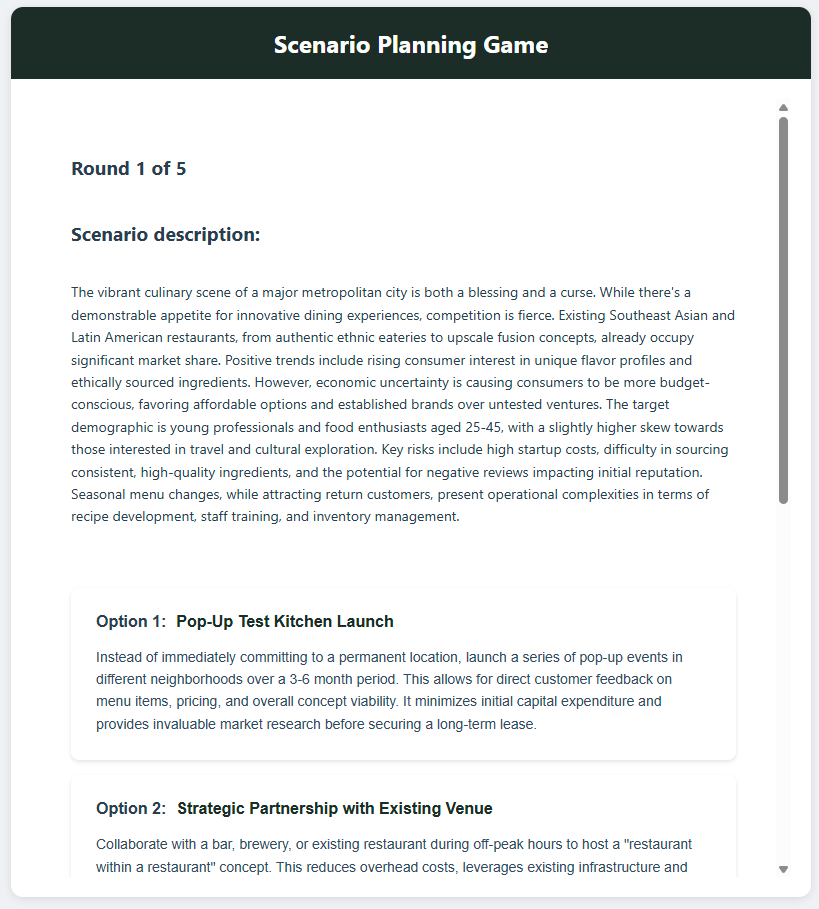
Extracts the scenario and shows it as a paragraphParses the options and turns each into a clickable button
When the user selects one, their decision is stored, and the app immediately generates the next round's prompt, including everything that's happened so far.
Step 4: The Recap
After Round 5, the app sends one final, context-rich prompt asking the AI to summarize:
The full timeline of decisionsTheir cumulative impactA final strategic assessment
That response is parsed and shown as a readable recap. Essentially a "report" generated from the user's thinking journey.
This system doesn't rely on any backend logic to make decisions or steer the game. The app's job is just to:
Feed the model the right inputParse its outputKeep track of what happenedAnd repeat the loop with better context every time
It's not complex. It's just well-structured. And that's what makes it easy to implement while remaining effective.
3. A Walkthrough Example
I'll walk you through an example of the app in action, from initial input to final recap; using a fictional use case: a fusion restaurant entering a competitive urban food scene.
Here's how it plays out:
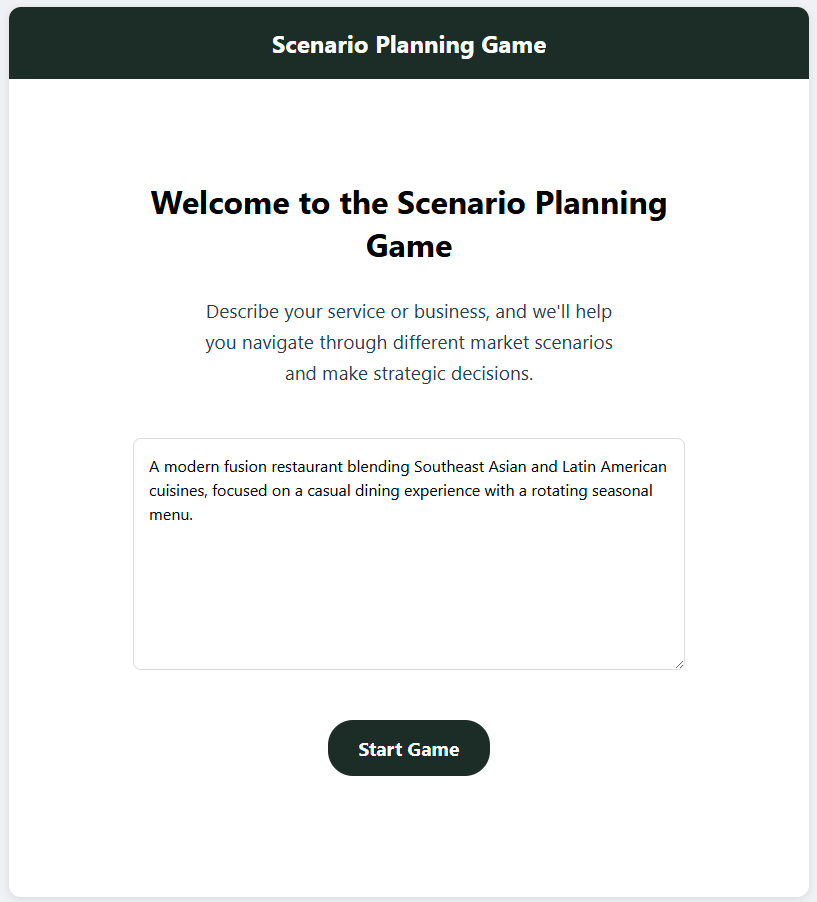
The user starts by entering a simple service description. In this case:
"A modern fusion restaurant blending Southeast Asian and Latin American cuisines, focused on a casual dining experience with a rotating seasonal menu."
This input is used to generate the first scenario.
The first decision is about how to enter a highly competitive, trend-driven food market. Instead of jumping straight into a costly dine-in setup, the restaurant opts to launch with a lean model: focusing on delivery and catering to build a customer base and test the concept with lower overhead.
With that early traction, the business seeks ways to expand. Rather than opening new kitchens or chasing expensive marketing, it forms a strategic partnership with a co-working space. Providing meals and event catering in exchange for consistent revenue and brand exposure among its target audience.
As the brand grows, competition ramps up. To expand beyond catering, the restaurant introduces a line of ready-to-eat meals sold in grocery stores and online. This opens up a new revenue stream without needing more kitchen capacity, but introduces logistical complexity and quality control risks.
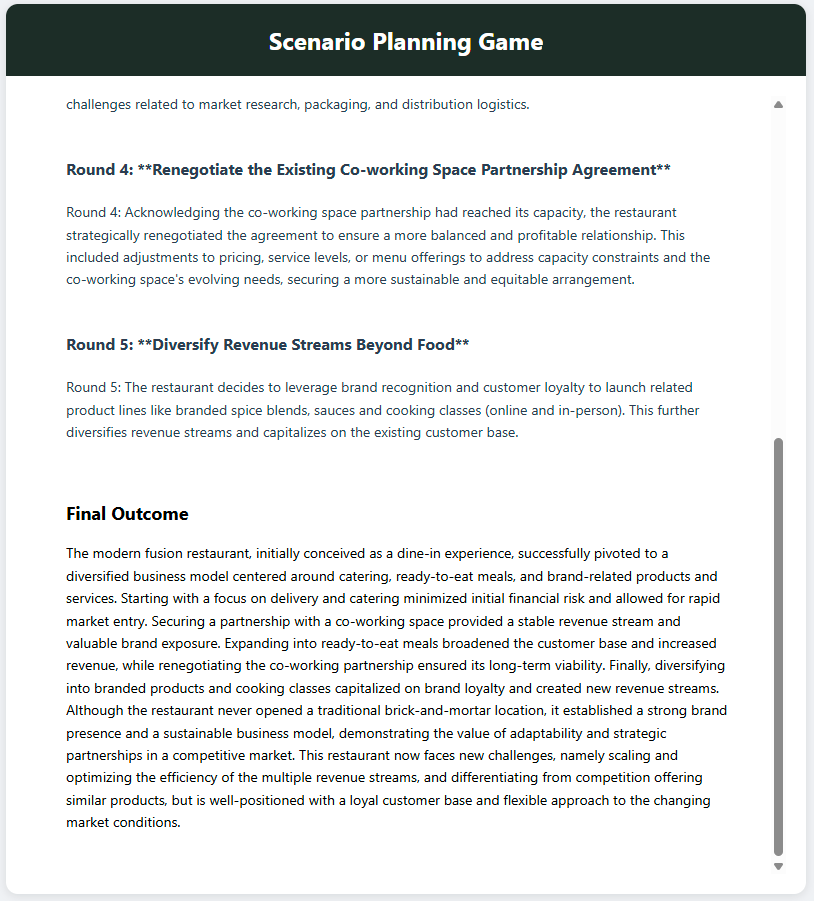
Operationally stretched, the restaurant avoids overcommitting by renegotiating its co-working space agreement. Instead of expanding blindly, it tightens the terms to protect margins and create a more sustainable, balanced partnership.
Finally, looking toward long-term sustainability, the business chooses to diversify beyond food altogether: launching branded spice blends, sauces, and cooking classes. These new offerings deepen customer engagement and reduce reliance on any one product or channel.
At the end of the five rounds, the AI generates a final screen: a detailed recap of the user's decisions, the strategic path they followed, and the ultimate outcome for the business.
It reads like a case study, except the strategy was shaped entirely by the user.
4. How the Results Can Be Improved
What the app produces is already useful, but it's also just a starting point. The quality of insights, relevance of scenarios, and sharpness of recommendations all depend on how well the system is designed and how far you're willing to push it.
Here's how this can go from "clever prototype" to "serious tool":
Better Prompts = Better Scenarios
The structure works, but the wording can be tuned. Sharper instructions, more contextual nuance, and clearer constraints will help the AI produce tighter, more grounded scenarios, especially as decision chains get more complex.
Better Prompt Architecture = Smarter Continuity
Right now, each round is generated with a single, static prompt referencing past decisions. That works, but it's fragile.
A more thoughtful prompt architecture would:
Break responsibilities into layers (e.g. scenario generation, memory handling, formatting enforcement)Use modular system instructions that evolve across roundsExplicitly separate short-term vs long-term contextImprove how decisions are carried over and weighted in future prompts
This would result in deeper, more coherent strategic arcs, where the AI isn't just remembering what you chose, but truly building on it.
Fine-Tuning the Model
Using a generic model like Gemini works, but a fine-tuned version trained on strategic frameworks, business cases, or even consultant-style reasoning would dramatically improve:
Strategic realismOption diversityUse of business terminologyCohesion across rounds
You'd go from "this sounds like a smart suggestion" to "this feels like a real consultant."
This is the skeleton. What comes next is refinement and that's where it gets interesting.
5. Why This Matters
What's powerful here isn't the UI, or even the individual decisions. Tt's the fact that this format can be reused, remixed, and scaled to support strategic thinking in almost any domain.
Real Use Cases
Consulting & Advisory: Replace static presentations with dynamic simulations. Let clients see how different strategic paths could play out, tailored to their own context.Executive Brainstorming: Use AI-generated friction to stress-test assumptions and generate insight, especially for leaders who already think in narratives and tradeoffs.Innovation & Product Strategy: Apply this same structure to roadmap planning, feature prioritization, or go-to-market experimentation. One decision at a time.Training & Education: Use interactive simulations for business students, analysts, or junior consultants. Teach systems thinking without needing a human facilitator.Creative Ideation: Swap "strategy" for "storytelling" or "branding," and you've got a lightweight engine for creative exploration. Fast, structured, and non-linear.
At its core, this project shows how we can move beyond single-prompt interactions. It's not about asking the right question. It's about building the right conversation system, one that evolves, responds, and makes your thinking visible.
That's what makes this useful.
Try It Yourself
If you've read this far and want to see the app in action, or dig into how it works, here's everything you need:
GitHub Repo: Full source code, prompts, and setup instructions.Live Demo: Try the app directly in your browser, no login, no setup.
And keep in mind, this is just a two-hour build.
Let me know if you extend it. Or break it. Or turn it into something totally different. That's the point.
Disclaimer
This tool is a prototype for structured, AI-guided decision-making. It is not intended for production use, and you should not input any confidential, sensitive, or proprietary information while testing it.