Every week I see a new post saying: "I built a full app in 48 hours using AI." Screenshots of a working UI, a GitHub link, sometimes an App Store listing. The post gets multiple likes, a few skeptical comments, and disappears into the feed like every one before them.
A lot of them are telling the truth. A simple CRUD app, a landing page with a waitlist, an internal tool for a small team, these can absolutely be shipped in a weekend with AI assistance. A few years ago they couldn't. That's a real change, and markets are already pricing it in. Software companies that built their moat on the difficulty of building software are watching that barrier come down fast. But a prototype that works for you is not the same as software that works reliably for strangers.
The claims that bother me are the ones suggesting that anyone, regardless of experience, can now build anything with the right prompts. Someone who has never written code is not going to ship a complex, production-ready mobile app in 48 hours. They might get something on screen. Getting it on screen is not shipping. Even Dario Amodei, whose entire business depends on you believing Claude is capable, stops short of claiming otherwise.
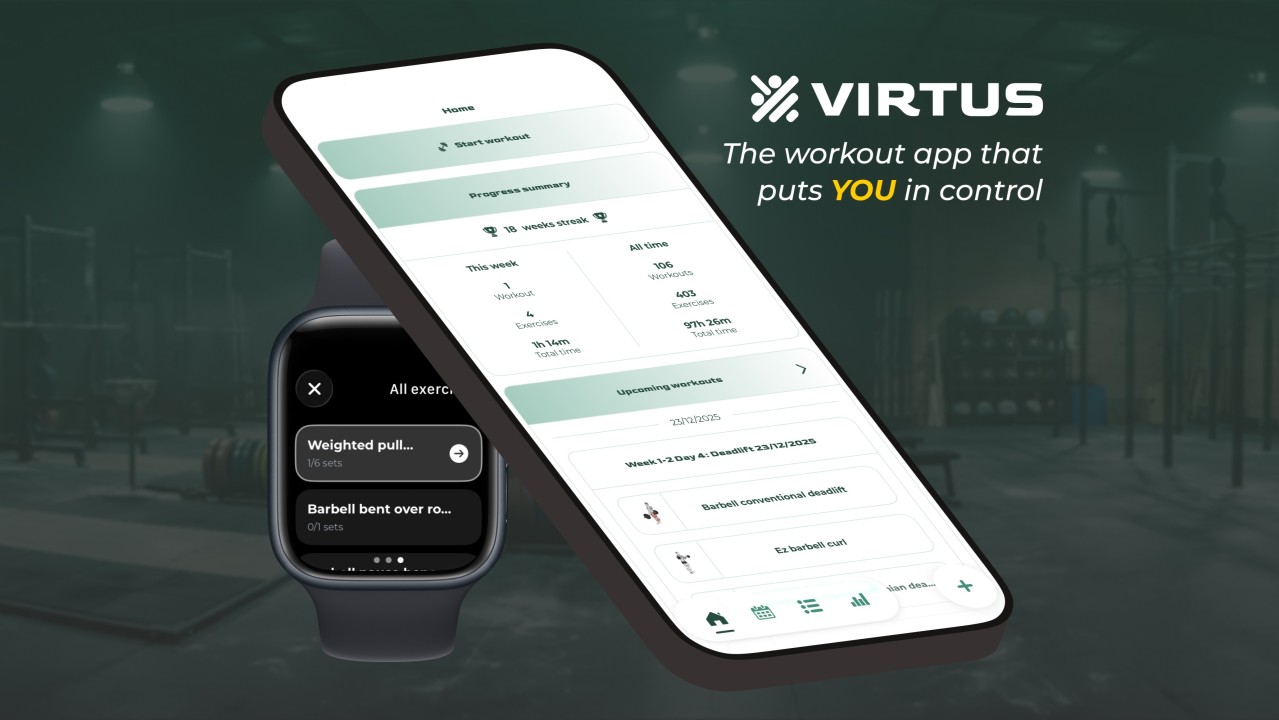
This article is an account of what it actually took to build and ship Virtus Athlete, a real mobile app, as someone with a modest technical background but no prior frontend or mobile experience. AI was involved in almost every part of it. It also had real limits, and those limits had real costs. The goal is to give an honest picture of where it helps, where it doesn't, and why the gap between a working demo and a production app is still a human problem to solve.
1. From a hobby to an addiction
This started as a hobby project. Something fun to do in my free time, a way to learn frontend development without a deadline or a stakeholder breathing down my neck. I wanted to ship on both platforms and reuse skills acquired for web, so React Native was the natural choice.
Expo made the whole thing approachable in a way I didn't expect. I'm on Windows and Linux and I didn't own a Mac at the time so the traditional path to testing iOS apps was not available to me. Expo GO changed that. Scan a QR code, see your changes live on your iPhone. For someone just getting started, that fast feedback loop is the difference between staying motivated and giving up after a week.
The choice to build a fitness app was not strategic, at first. I wanted something I would actually open every day, something where I would feel the rough edges immediately. A workout tracker fit that. I go to the gym regularly. I would be the first user, and I would have opinions.
But I also spent time in fitness communities online, and the same patterns kept showing up:
Beginners asking questions that had been answered hundreds of times, with no good place to land. Coaches still handing out spreadsheets because no app fits how they actually program. People who logged everything for months and stopped because the app got in the way instead of staying out of it.
Not everyone can afford a coach. The information and tools exist. People are still falling through the gaps.
Strength training is a genuinely fragmented space. The moment you get past running, the categories multiply fast: powerlifting, CrossFit, Olympic weightlifting, calisthenics, bodybuilding. Different needs, different vocabularies, different definitions of progress. There are already hundreds of fitness apps, some of them great. Apps I've used and loved like Hevy or smartwod (felt important to shoutout great European products I hope I will one day be lucky to call competitors). But a crowded market is not the same as a solved problem.
Then I showed the app to a few people and something changed. Other users don't share your mental model. They don't know why certain decisions were made. They find problems you would never find on your own. That feedback loop was addictive in a way I hadn't anticipated. Features started getting added for users rather than for me. That distinction matters more than it sounds.
And the technical problems kept getting more interesting:
Authentication and user management, because the moment real users are involved, security stops being optional. WatchOS and WearOS sync, bridging a mobile app with a completely separate device is a nightmare. Local-first development and offline support, so the app works in a gym basement with no signal. Custom exercise types like Tabata, AMRAP, and EMOM, each with their own timing logic that no generic tracker handles well.
The problems got harder, the users got real, and at some point there was no going back.
2. Building with AI: What it actually looked like
AI was involved in almost every part of building Virtus Athlete. Not just the code: brainstorming features, analyzing competitors, digging through App Store reviews, designing UX flows and database structure, translating content, generating onboarding images, experimenting with marketing material, automating tests. If there was a task, AI had a role in it.
And above all, learning. React and React Native were completely unfamiliar territory. Different paradigms, different mental models, different ways of thinking about state, navigation, and how a UI actually works. And beyond the core frameworks, the ecosystem is endless. Having something you can actually talk to, that answers follow-up questions, explains why not just what, and engages with your specific situation rather than a generic example, made the difference between grinding through confusion alone and actually moving forward.
But the coding story is where things get interesting. I started this app in mid 2023. GPT-4 had just come out, there was no image support yet, and the workflow was entirely text based. Describe the bug. Paste the error. Paste the relevant code. Read the response. Paste it back into the editor. Slow and manual, but it worked well enough to keep going. What kept the momentum going as much as anything was Expo GO. For someone working on a side project a few hours a week in completely unfamiliar territory, that fast feedback loop was not a nice to have.
The workflow evolved as the tools did:
Text-only prompting with GPT-4, before image support existed. Then screenshots, a small change that made debugging with AI significantly faster. GitHub Copilot as an inline suggestion tool, then later as a coding agent, two meaningfully different experiences. Cursor, which brought the model closer to the actual codebase with less context loss. Claude, then Claude Code, then more structured approaches with skills and automation, pushing to see how far agentic coding could go.
The workflow never stabilized into one permanent setup. Automation works until it doesn't, and knowing when to pull back to something more manual is its own skill.
Most recently, MCP servers changed things again. The ability to connect AI directly to external tools and services rather than just talking about them is a meaningful step forward. Supabase's MCP tools deserve a specific mention. It simplified debugging, auditing the DEV database directly, setting up security rules, understanding why something worked rather than just that it did. When Claude Code was doing magic, Supabase's MCP was its wand. And yes, of course DEV database, because it will take years for me to trust AI to directly manage a production database.
From start to finish, what is available today is hundreds of times more powerful than what existed when this project started:
Then: GPT-4 on a free plan, a text box, and a copy-paste workflow. Now: Claude Opus 4.6 on a Max plan, with Claude Code, skills, MCP tool access, visual capabilities, agentic access to the full codebase, and multiple instances running in parallel (11 is my record!)
That was not possible two years ago. It was barely imaginable. And yet, for all of that, the fundamentals have not moved. A good app still needs to be reliable, handle edge cases, make sense to someone who did not build it, survive the App Store review process and bad network conditions. The tools changed beyond recognition. The work to be done did not.
3. What AI is genuinely great at: doing 90% of the job
Let's be clear about something before getting to what AI cannot do. AI is genuinely, remarkably good at a lot of this work, and pretending otherwise to make a point is dishonest.
When you know exactly what you want, the speed is unparalleled. You describe it, you get it, you move on. Boilerplate, syntax, patterns you already understand conceptually but do not want to write from scratch. Setting up a new screen in React Native, wiring up a navigation stack, writing a Supabase query for a specific data structure. This alone saves hours every week.
Debugging changed completely. The ability to screenshot a bug and have AI understand what it was looking at collapsed the gap between hitting a wall and moving past it. A visual glitch, a layout that broke on a specific screen size, a sync issue that only showed up in certain states. Describing these in text was slow and imprecise. Showing them changed everything. And sometimes, even with the technical knowledge to debug something myself, AI found the bug when I couldn't. That happened more than I would like to admit.
Beyond the obvious, AI is useful in ways that are harder to quantify but just as real:
Exploring and learning: AI didn't just suggest options from React Native's vast ecosystem, it explained the tradeoffs between them in the context of what was actually being built. That is different from reading a comparison article written for a generic audience. Brainstorming as a solo developer: there is no team to bounce ideas off at midnight. AI fills that gap imperfectly but meaningfully. Talking through a problem out loud, even to a machine, forces clarity that staring at code alone does not. Code review: catching patterns that will cause problems later, naming inconsistencies, components doing too much. A second set of eyes that is always available and never too busy. The unglamorous work: generating mock data, writing documentation, keeping code comments up to date. AI removes the friction enough that it actually gets done. Translation: every label, every error message, every piece of copy, into french. Work that would have taken days done in minutes, with consistency that even manual translation sometimes does not achieve.
For everything that is well defined and just needs doing, for brainstorming and learning the concept behind the next feature, AI gets it done at a speed that still feels unreasonable. That is roughly 90% of the job.
The other 10% is where things get harder.
4. What AI gets wrong: the remaining 10%
10% of the code, yet 99% of the effort and time spent.
The illusion that the demo is the product
The posts that go viral show a working UI. They do not show what happens three weeks later when a real user does something unexpected. AI builds for the happy path because that is what most of its training data looks like. The happy path is not where software breaks.
Software breaks at the edges. When the network drops mid-workout, when two operations happen simultaneously that were never meant to, when a user does something you never thought to test. Edge cases are not rare. For any app with real users, they are a daily reality:
The user who somehow has two accounts. The workout that got logged twice because the sync failed and retried. Or because the done button was clicked twice. Why would someone click twice? The exercise name with a special character that breaks a query. You want to input decimals? Sure, just process dots. Oh right, the French use commas.
None of this shows up in a demo. App Store review, performance on older devices, behaviour under poor network conditions. All of it shows up in production, usually at the worst possible moment.
The code looks right but isn't
AI being confidently wrong is different from AI being uncertain. When AI does not know something, it does not say so. It generates something plausible, something that looks clean, compiles, runs, and fails silently in a condition it never anticipated. No warning, no hedge, just wrong. And because the code looks reasonable, you trust it. That is the trap.
Outdated and deprecated APIs make this worse. AI has no idea what changed six months ago. Its training data has a cutoff and the ecosystem does not wait for it.
Security is where this gets genuinely dangerous. Add a rule saying do not hardcode API keys. It hardcodes an API key. It will even forget the most basic rules like adding .env in the .gitignore.
And then there is the sycophancy. After enough sessions you develop a Pavlovian reaction to the words "You're right." You see them and you immediately distrust whatever comes next. Because "You're right" usually precedes AI confidently doing the exact same wrong thing in a slightly different way. I know I'm right Claude, I need YOU to be right.
The memory and isolation problem
In a different session AI will contradict decisions it helped make an hour earlier. It loses the thread. It introduces inconsistencies that compound over time, each one small enough to miss, collectively enough to cause real problems.
AI generates code that works on its own but breaks when it touches the rest of the codebase, because it only sees what you show it. It has no model of the whole system. And for all of its context window, its access to the full codebase, its ability to read every comment and every file, you are still its memory. The number of times AI will remove a previous fix while solving a new problem, even when the comment directly above the code explains exactly why it was written that way, is maddening.
Performance is another blind spot. Unoptimized queries, useless re-renders, missed opportunities to parallelize. AI does not feel the slowness. It does not notice the lag on an older device. You do, and your users do.
The debugging ceiling
AI can catch bugs you miss. It can also fail to find a bug no matter how many different ways you prompt it, no matter how much context you provide. There is a ceiling, and you will hit it.
Those are the moments where knowing the code, actually understanding how it works, is the only thing that saves you. If you have been following along passively, letting AI write everything without understanding it, you are stuck. You cannot prompt your way out of not understanding what you built.
The bigger picture
Technical debt from code you do not understand is worse than technical debt from code you do. At least with the latter you know where the bodies are buried.
Leave design entirely to AI and you will end up with something that looks decent but has no personality, no point of view. It will look like every other app that let AI make the decisions. Users feel that. Every design decision in Virtus Athlete was made by me. AI brainstormed sometimes, but I always had to choose.
And ultimately, users do not care how you built it. They care that it works reliably, every time, for everyone.
Conclusion
Virtus Athlete is a real app, in the App Store, used by real people who did not build it and have no patience for things that do not work. What is out now is a V2, after a V1 that was more of a beta. Features for V3 and V4 are already in progress, including an AI assistant built into the app itself. It is also the first of several apps I am building.
Getting here required AI at almost every step. It also required something AI cannot yet provide: the ability to move between levels of abstraction and know which one the problem actually lives on.
That is the thing the 48-hour posts never talk about. AI operates comfortably at the level where most code gets written. It knows the patterns, the syntax, the conventions. What it struggles to do is drop down when it needs to. When a bug is not a logic error but a misunderstanding of how the framework handles state, or a performance issue rooted in how the database actually executes the query, the abstraction that made you productive becomes a ceiling.
This is also why passively accepting AI output is a compounding problem. Every piece of code you use without understanding is another layer between you and the actual system. The debt is not in the code. It is in the gap between what the code does and what you know about why. But the flip side is just as true: understanding abstraction levels is precisely what makes AI so powerful in the hands of someone who has them. You work at the high level because that is where the speed is. You drop down when you need to because you know the territory. That judgment is the work. It always was.
The tools will keep getting better, and the level of abstraction AI can reliably operate at will keep rising. But for now, someone has to hold the mental model of the whole system. Someone has to own it when a real user finds the edge case no demo ever surfaces.
That part is still on you.