Every organization produces the same types of content over and over. Reports that summarize what happened. Training videos that explain how things work. Presentations that walk people through data. Educational material that teaches concepts step by step.
If you had to do this manually, the process looks the same every time. Pull the data. Write the script. Design the slides. Record the voiceover. Sync the animations. Export. Repeat next week. Someone sits in an editing tool rebuilding the same structure from scratch, over and over.
What if that entire process was a pipeline? Data goes in one end. A narrated, animated video comes out the other end. No editor. No timeline. No manual sync. Just code that produces content on demand.
That's not a concept. It's something I built, and the applications go far beyond what I originally intended.
1. How I got here
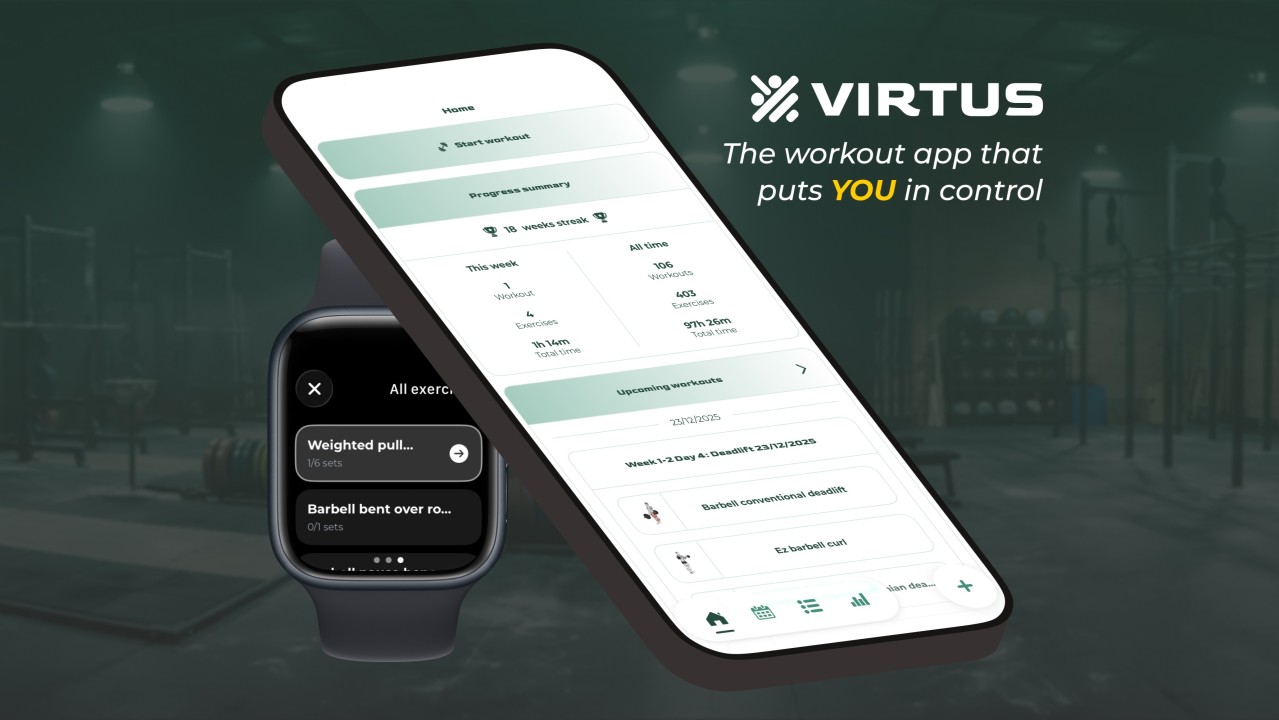
I needed educational video content as part of my marketing for a fitness app, but the manual process for even a single video is brutal: write the script, generate the voiceover, design animated slides, sync everything to the audio, render, publish. Then do it again for the next topic. And again in French. I was never going to have time for that. So the choice was simple: automate it or don't do it at all.
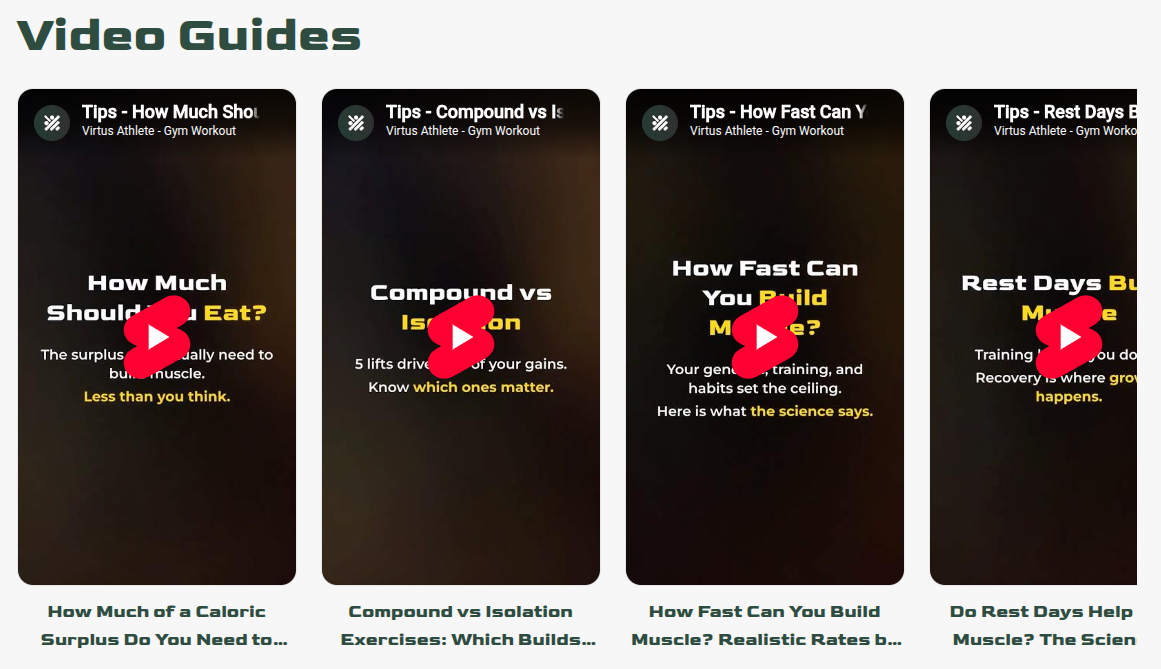
So I automated the entire thing. The result: I describe what I want, and a finished video comes out the other end. Script, voiceover, animations, synchronization, rendering, all handled by a pipeline I built once.
The pipeline I built to automate fitness content is really a general-purpose engine for producing narrated, animated visual content from structured input. And that engine has applications in places I never originally considered.
2. The pipeline
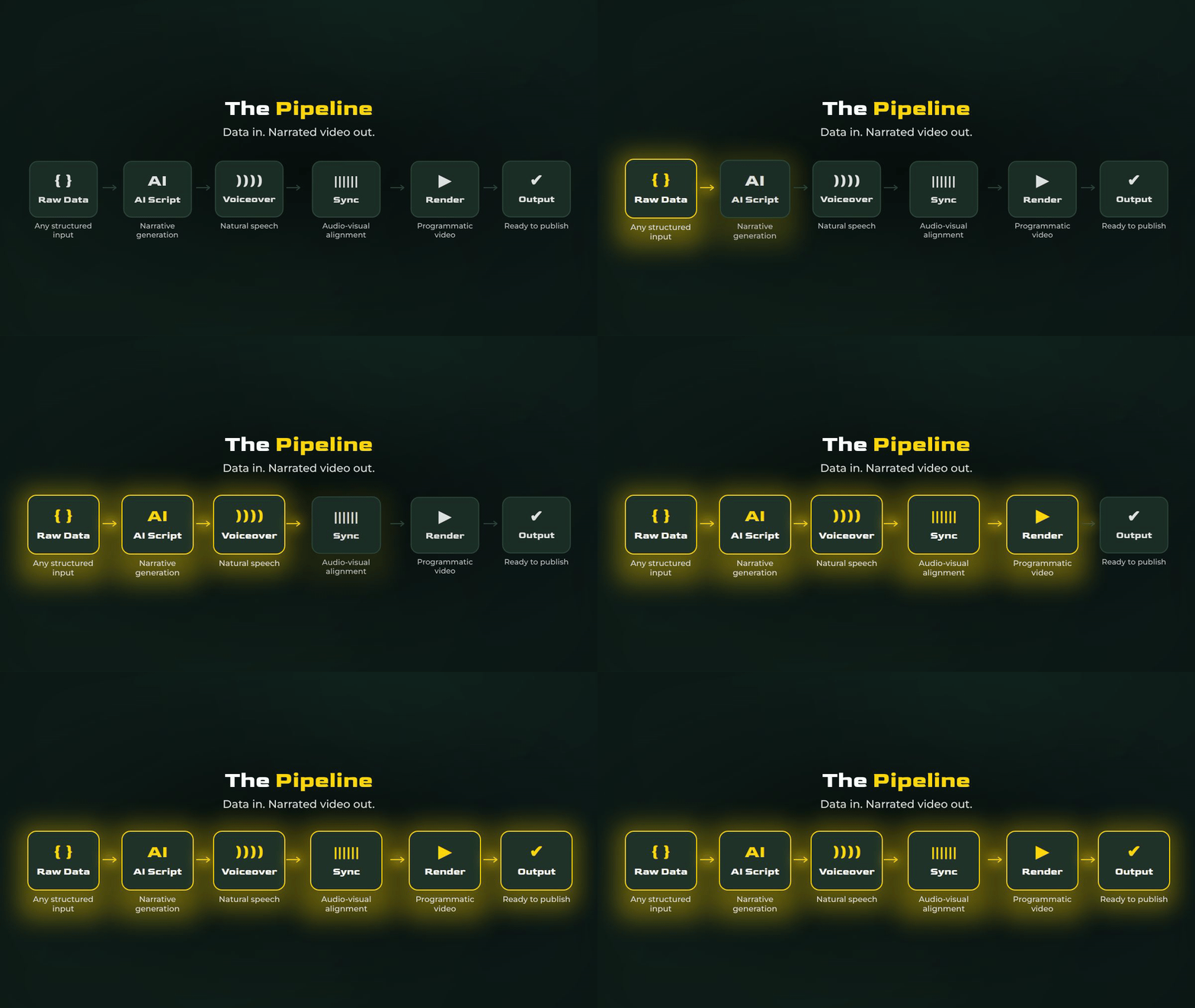
The system chains three layers into a single pipeline.
Programmatic video rendering. Instead of dragging elements around a timeline in an editor, the video is described in code. Every chart, text block, animation, and layout is a component. Durations are defined in frames. Animations use spring physics and interpolations. The output is a standard MP4, rendered frame by frame, like a web page except the result is a video.
AI-powered text-to-speech. The narration is generated from a plain text script. The voices are natural, expressive, and available in dozens of languages. No recording booth. No voice actor. One API call. The same service also provides forced alignment, returning the exact millisecond each word is spoken. Those timestamps become the animation triggers in the code. When the voice says "quarterly revenue," the revenue chart appears at that precise frame. One service generates the voice and tells you exactly when each word lands, so audio and visuals stay perfectly in sync.
AI orchestration. An AI agent ties everything together. It writes the narration script from raw data or a topic outline, polishes the content for spoken delivery, translates it into other languages, calls the TTS API to generate voiceovers, runs forced alignment to extract word-level timestamps, then writes the video code that wires visuals to audio frame by frame. It decides what to highlight, structures the narrative, and produces the final render-ready output. One AI, end to end.
Chain them together: data source to AI narrative to TTS voiceover to forced alignment to programmatic video. The input is raw information. The output is a polished, narrated, animated video.
3. Automated reporting
This is the most immediate business application.
Every organization produces recurring reports. Daily metrics. Weekly sales reviews. Monthly performance summaries. Campaign results. Operational dashboards. You can automate pulling the data and formatting it into a standard template. But the analysis, the narrative, the voice explaining what changed and why it matters, that's been impossible to automate. Until now.
Imagine this: no analyst spends their morning building a slide deck. No one schedules a 30-minute meeting to "walk through the numbers." The numbers walk through themselves.
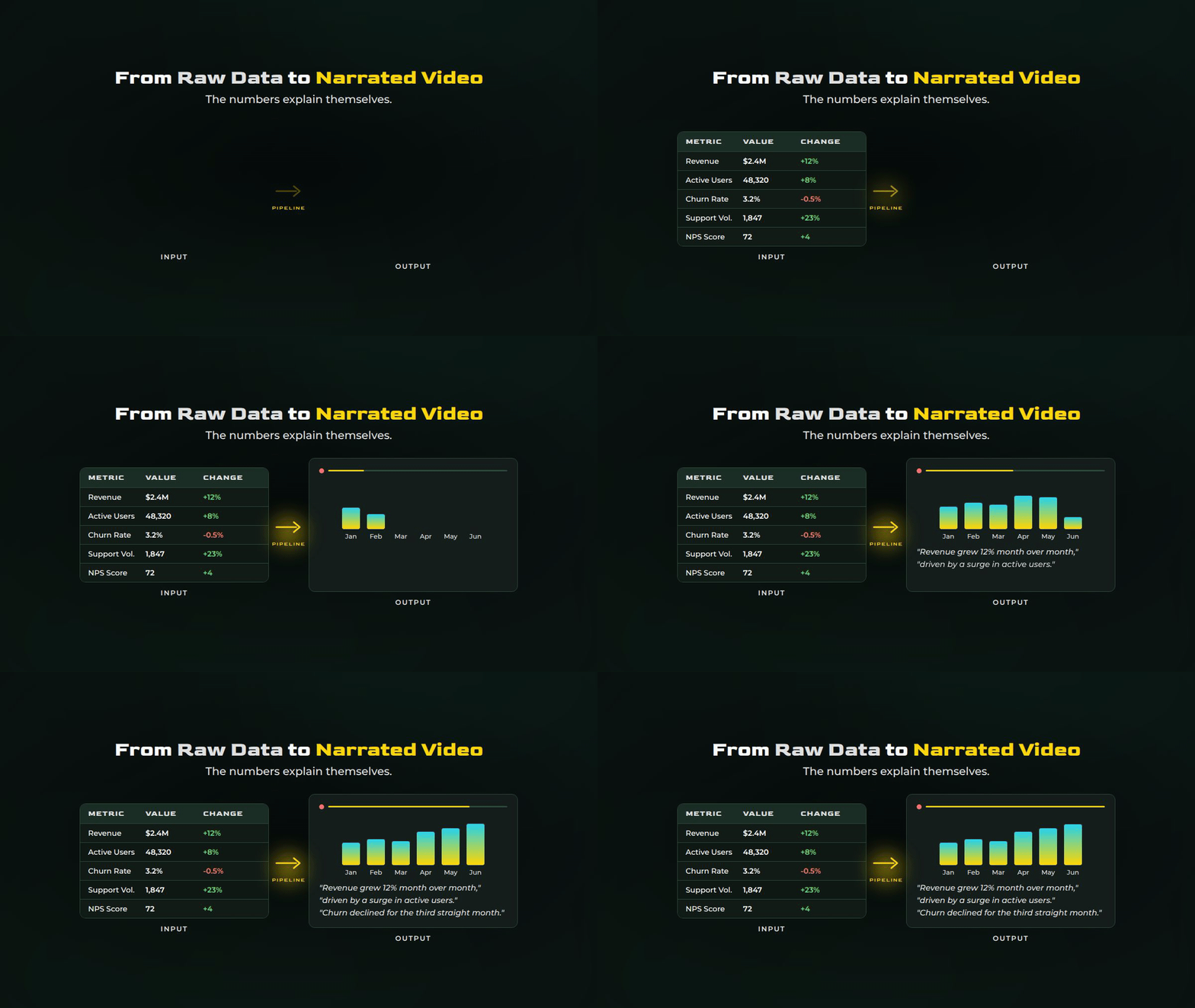
Daily Executive Briefings. Every morning, yesterday's KPIs are pulled, analyzed, narrated, and rendered into a short video. Revenue, active users, churn, support volume. The AI compares against targets and flags what moved. Leadership watches it before their first meeting.
Sales Performance Reviews. End of the week, CRM data is pulled: pipeline movement, deals closed, conversion by stage, rep activity. The video highlights top performers, flags stalled opportunities, and compares against quota. The sales manager knows where things stand in two minutes.
Campaign Reports. A campaign wraps up. Performance data flows in from ad platforms: impressions, clicks, cost per acquisition, return on spend. The AI writes a narrative about what worked and what didn't. The video delivers it with animated charts that build themselves as the voice explains the story.
Client-Facing Reports. For agencies and service providers, this changes the client experience entirely. Instead of a static PDF, the client receives a narrated video walkthrough of their results. Same data, but it feels like a personal briefing. Professional, digestible, and produced without a single hour of your team's time.
The format matters more than people think. A dashboard requires active engagement, someone has to log in, navigate, interpret. A report PDF competes with everything else in an inbox. A short narrated video is passive: press play, absorb the information. That's why consumption goes up dramatically when you switch from static reports to video.
4. Education and training
This is where the pipeline scales in a completely different direction.
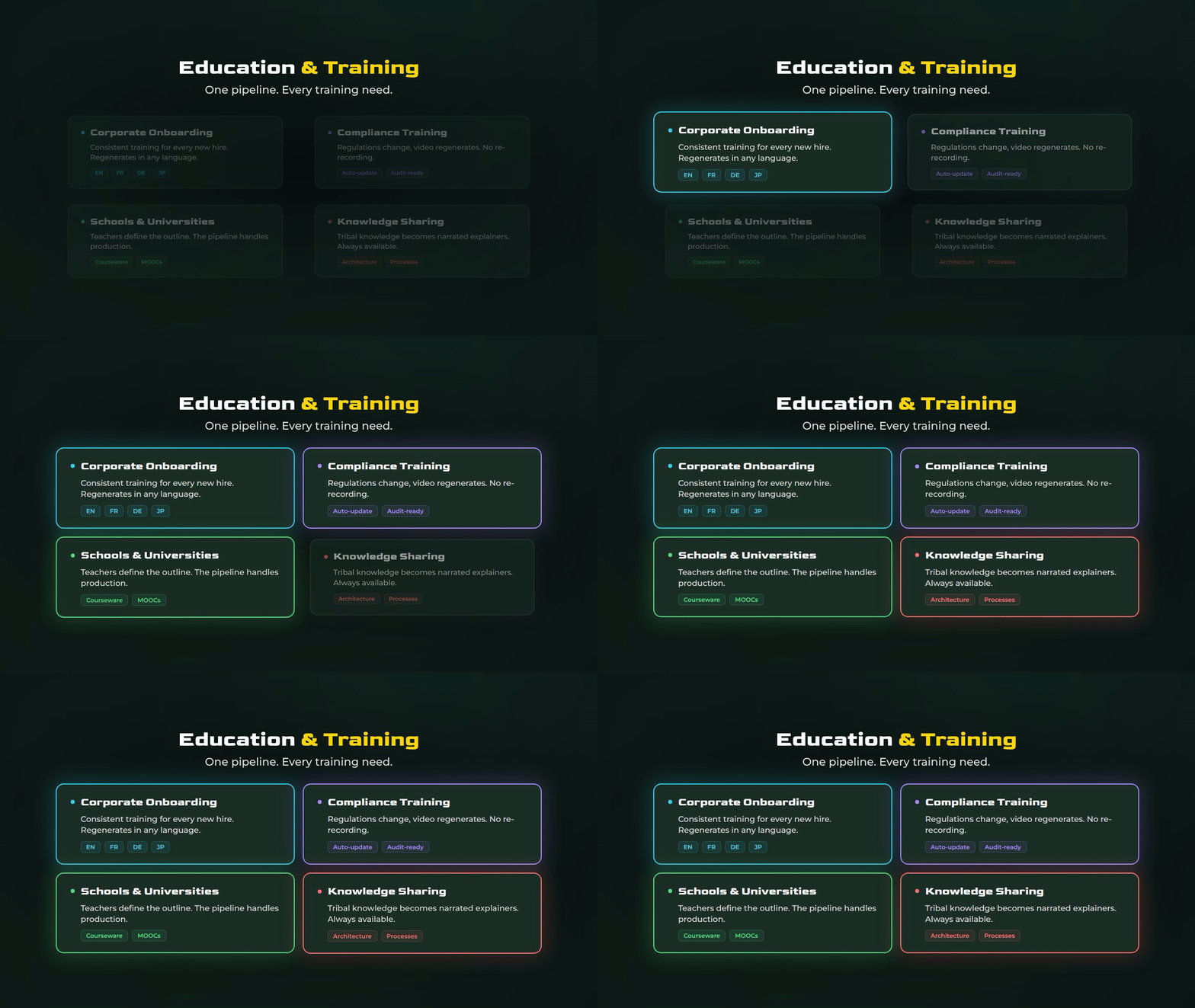
Corporate Onboarding
Every company has the same problem with new hires. There's a mountain of information to transfer: how systems work, what the processes are, who handles what, where to find things. This usually takes the form of slide decks, wiki pages, recorded Zoom calls, or shadowing sessions.
Now imagine this instead. Each onboarding topic, your CRM workflow, your deployment process, your expense policy, your product architecture, becomes a short narrated video with animated visuals. The new hire watches a series of 2-3 minute videos that walk them through everything. Text appears on screen as the voice explains it. Diagrams build themselves step by step. Key terms are highlighted as they're mentioned.
The content is consistent every time. No variation depending on who's doing the training. No outdated slide decks that nobody updated after the last reorg. When a process changes, you update the input data, and the pipeline regenerates the video.
For companies hiring across regions, the same onboarding video can be regenerated in Spanish, French, German, Portuguese, Japanese, whatever languages the team needs. Same visuals, native-sounding voiceover, automatically re-synced. A new hire in Tokyo and a new hire in Paris get the same quality onboarding, in their own language, without anyone producing separate versions manually.
Compliance and Policy Training
Every regulated industry requires periodic training. Anti-harassment. Data privacy. Safety protocols. Financial compliance. These are typically delivered as painful slide decks or dry e-learning modules that employees click through as fast as possible.
A narrated animated video is more engaging than a slide deck by default. But more importantly, it's reproducible. When regulations change, you update the content and regenerate. No re-recording. No re-editing. The pipeline handles it.
Schools and Universities
The same model applies to education. A teacher preparing a lesson on cellular biology, the French Revolution, or quadratic equations can feed the topic structure into the pipeline and get back a narrated, animated explainer video.
This isn't about replacing teachers. It's about giving them a production tool they've never had. Most educators don't have the time, tools, or skills to produce animated video content. But they do have the expertise to outline the structure and review the output. The pipeline handles the production layer. The teacher handles the pedagogy.
For institutions producing courseware, MOOCs, or supplementary material, this changes the economics completely. A single course that used to require a video production team can now be generated from structured outlines. Update the curriculum, regenerate the videos. Translate into new languages for international students without reshooting anything.
Internal Knowledge Sharing
Every organization has tribal knowledge trapped in people's heads. How the legacy system actually works. Why that architecture decision was made. What the workaround is for that one vendor's API. This knowledge usually gets shared in meetings, Slack threads, or not at all.
Turn it into short narrated videos. An engineer documents a system's architecture in a structured outline. The pipeline produces an animated explainer. Six months later, when a new team member needs to understand that system, the video is there. Clear, narrated, and always available.
5. Beyond video: same code, different outputs
Because the visual layer is built from React components, the same content that renders as a video can also serve as other formats.
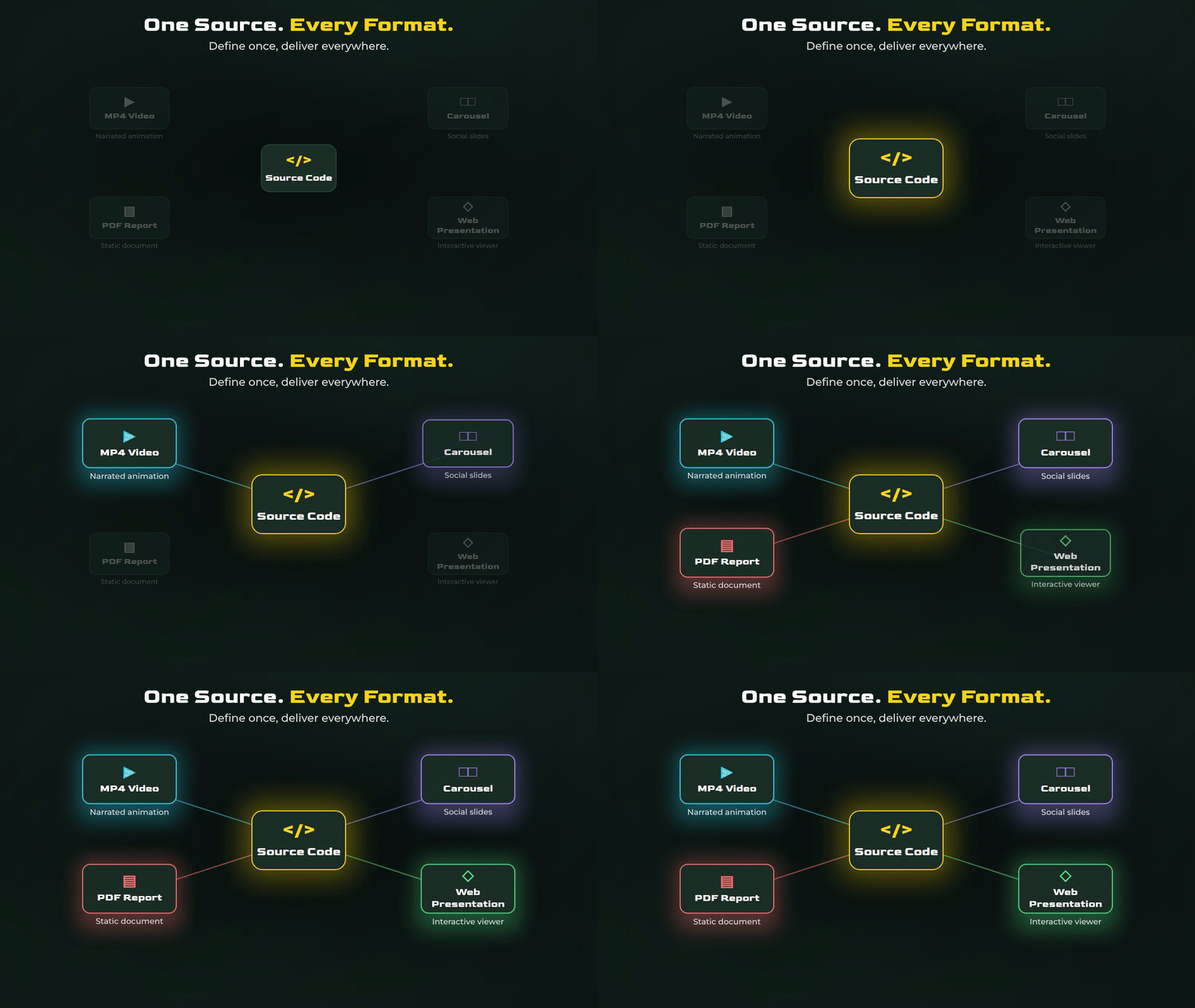
The same components that produce an animated video can render static slides for a carousel or a PDF. They can be served as an interactive web presentation where the viewer clicks through at their own pace. They can generate thumbnail images for social media.
One source of truth. Multiple output formats. The content is defined once and delivered however the audience needs it. A quarterly report exists as a narrated video for leadership, an interactive dashboard for the analytics team, and a static PDF for the board deck. Same data, same narrative, different medium.
Conclusion
The pattern across all of these use cases is the same. There's a category of content that organizations produce repeatedly, that follows a consistent structure, that consumes disproportionate production time, and that could be generated programmatically if the right pipeline existed.
Reports. Training material. Onboarding content. Educational videos. Compliance training. Knowledge documentation. All of it follows templates. All of it changes periodically. All of it needs to exist in multiple formats or languages. And all of it is currently produced by hand.
The tools to automate this exist today. Remotion for programmatic video rendering. Text-to-speech services for AI voiceover generation. LLMs for narrative writing. Forced alignment for audio-visual synchronization. None of this is experimental. It's production-ready.
What changes is the role of the human in the process. Instead of operating an editing tool, you're defining what the content should communicate. Instead of manually syncing animations to audio, you're reviewing the output. Instead of producing one version in one language, you're generating every version in every language from a single pipeline.
The bottleneck in content production has always been the production itself. Remove that, and the only limit is what you decide to make.
Reach out if you want to know more!